

Enable Glean MCP Servers
Enable Glean OAuth authorization server.
Navigate to the Admin Console > Settings > Third-party access (OAuth) and enable the Glean OAuth authorization server.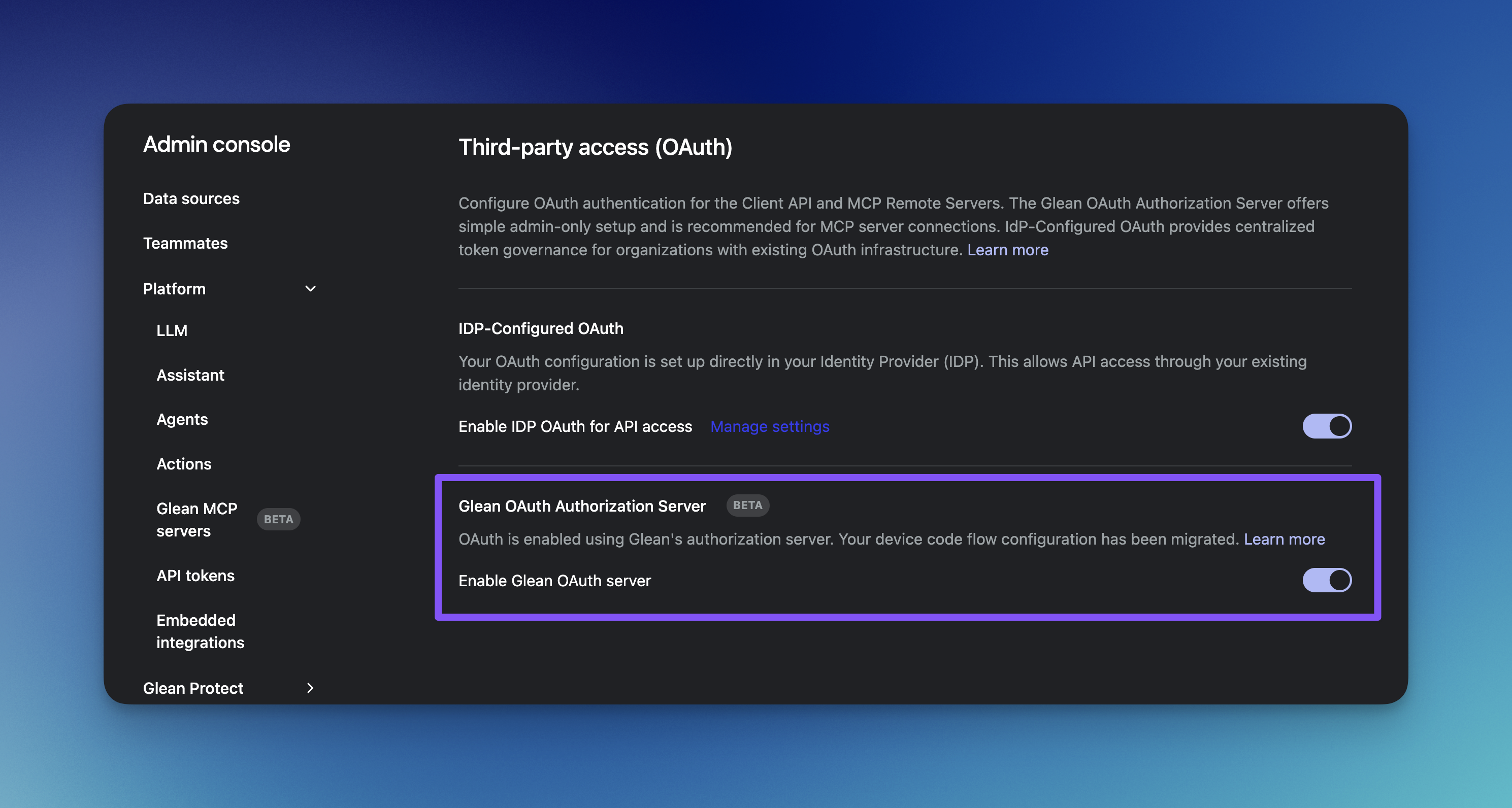
Enable MCP server.
Navigate to the Admin Console > Platform > Glean MCP servers and enable the Glean MCP Servers.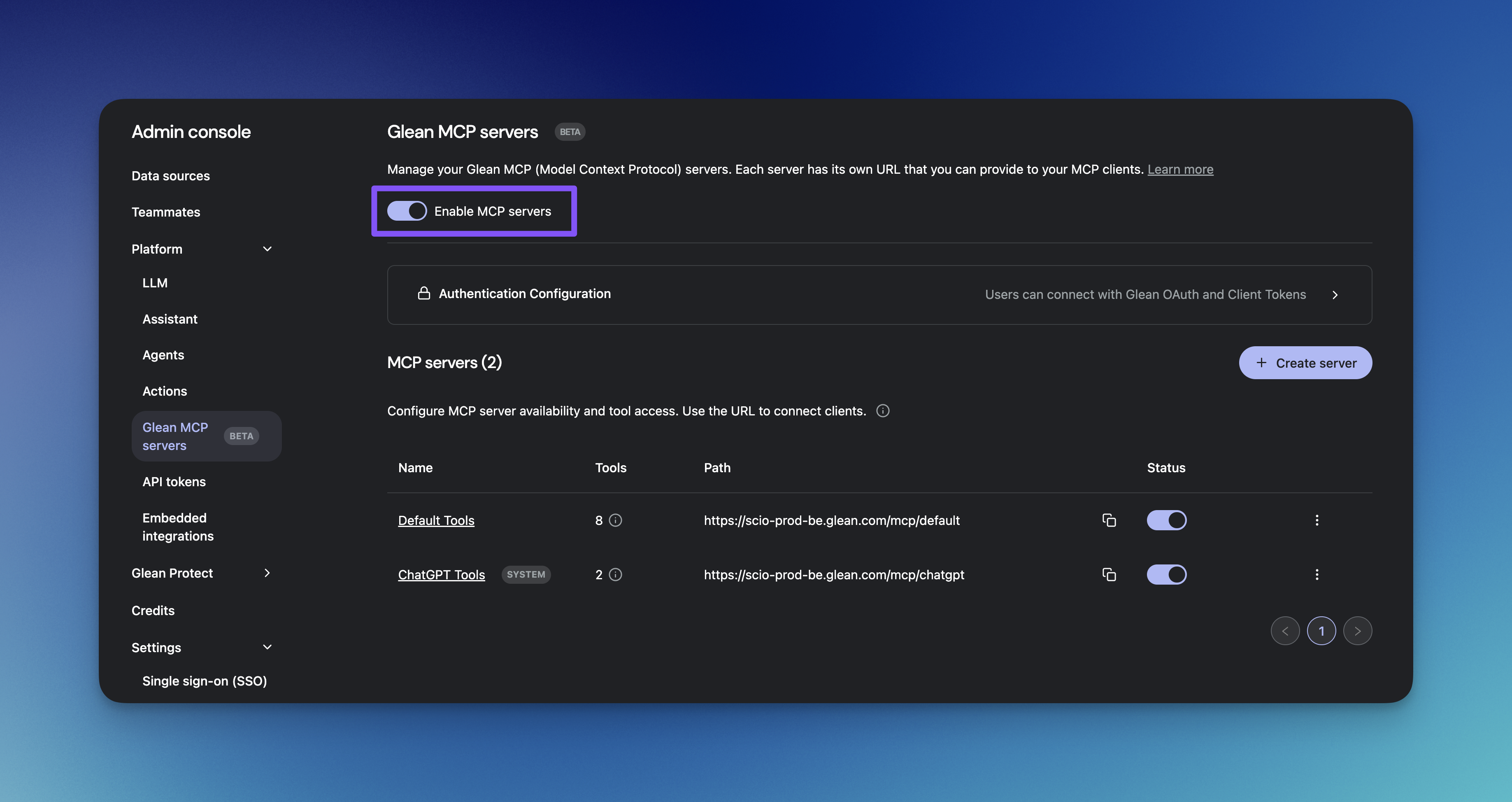
Share end-user setup guide
Provide users the end-user guide for connecting from their host application:
Using the Glean MCP Server
How OAuth fits
Enabling the Glean OAuth authorization server unlocks OAuth‑based authentication for MCP:- Dynamic clients (DCR) – MCP hosts (such as Cursor, Claude, VS Code) discover Glean at runtime and register themselves using OAuth Dynamic Client Registration.
- Static OAuth clients – Admin‑managed OAuth applications with stable client IDs and redirect URIs, used for specific integrations or external MCP servers that require a fixed client configuration.
For details, see Glean OAuth Authorization Server.
Next Steps
Once enabled, you can:Create Custom Servers
Design MCP servers with specific tools for different use cases and teams.
Add Agents as Tools
Extend capabilities beyond built-in tools by exposing your Glean Agents as MCP tools.
Best Practices
Review optimization strategies and configuration recommendations for MCP servers.